A practical guide to Kyocera’s ECOSYS and TASKalfa printer ranges — real models, real specs, and how Comstel and Kyocera support your fleet together.
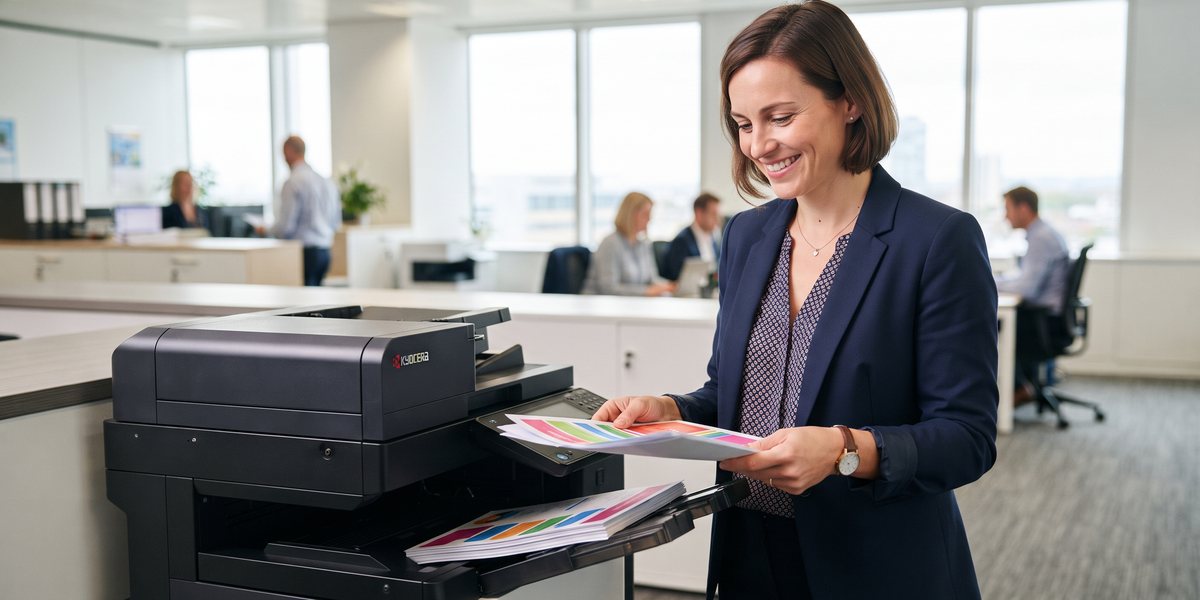
Printers rarely get much strategic thought — until the running cost of the wrong one starts
showing up in the budget, or the third jam of the week finally tips someone over the edge. Kyocera
Document Solutions has built its entire reputation around solving the cost problem specifically:
long-life components that dramatically cut down how often consumables need replacing, which flows
straight through to a lower total cost of ownership over the life of the device.
Comstel ICT is a Certified Kyocera Partner — supplying and supporting Kyocera
devices for Australian businesses nationwide, with service delivered directly by Kyocera’s own team. This
guide walks through what actually makes Kyocera different, both model ranges in full, real specifications
pulled from Kyocera’s own datasheets, and exactly how support works once a device is on your floor.

straight from the official product datasheet.
What makes Kyocera different: ECOSYS technology
Before getting into specific models, it’s worth understanding why Kyocera’s approach differs from most
competing printer brands in the first place — because the model comparison further down only really
makes sense once the underlying technology is clear.
On most printers, the drum — the component that actually transfers the image onto the page
— is bundled into the toner cartridge and gets thrown away and replaced every single time you
change the toner. Kyocera’s ECOSYS technology separates the two: the drum is a long-life
component, rated for hundreds of thousands of pages, while only the toner itself gets replaced on a
normal cycle. ECOSYS stands for ECOlogy, ECOnomy and SYstem
printing — a design philosophy, not just a product name.
The result is fewer consumables purchased over the printer’s lifetime, less plastic waste, and a
meaningfully lower cost per page than most competing printers — particularly noticeable for
businesses printing high volumes. Kyocera’s ECOSYS MA3500cix, for example, is rated for a maximum life of
600,000 images or 5 years — the kind of longevity that changes the entire economics
of owning the device.
- Lowest TCOTotal cost of ownership in
the industry, according to Kyocera’s own positioning - 600K+Page / 5-year rated life on the
ECOSYS MA3500cix specifically - 2 yrsOn-site warranty as standard on
ECOSYS devices
Four families, every business size
The Kyocera range Comstel supplies covers everything from a single desk to an enterprise print room.
-
ECOSYS
Compact A4 mono & colour printers and multifunction devices. Long-life drum technology, lowest
consumables cost in the range, and a compact footprint that fits any office. Best for small offices,
departmental printers, single-user setups and professional services focused on cost-per-page. -
TASKalfa MZ Series
Kyocera’s latest flagship A3 multifunction range — nine models from MZ2501ci through to
MZ7001i. Print, scan, copy and fax in one device, with advanced security and PIN-release printing. Best
for medium-to-large workgroups and offices needing A3 capability. -
TASKalfa A3 Multifunction
The established A3 colour MFP range, including the TASKalfa MA3500ci. Sophisticated paper finishing,
secure print release via PIN or ID card, and a large colour touchscreen. Best for office workgroups and
businesses with regular A3 needs like architects and real estate. -
TASKalfa Pro Series
Award-winning high-speed inkjet production printing, including the TASKalfa Pro 15000c — an EDP
Best Colour SRA3 winner. Built for high-volume print runs at a lower running cost than traditional toner
production. Best for print rooms and in-house marketing production.
Nine TASKalfa MZ models, compared
The flagship TASKalfa MZ Series covers six colour models and three mono models. All nine share the same
10.1″ touch panel, security platform, 1,200 × 1,200 dpi print resolution, and A6–SRA3 paper
handling — the real differences come down to speed and paper size.
| Model & type | A4 ppm | A3 ppm | 1st print (B&W) | Scan ipm | Best for · ideal size |
|---|---|---|---|---|---|
| MZ2501ci Colour | 25 | 12 | 7.0s | 200 | Small offices & reception, entry A3 colour Teams up to ~10 users |
| MZ3501ci Colour | 35 | 17 | 5.9s | 200 | Growing teams — secure everyday colour Teams of ~10–20 users |
| MZ4001ci Colour ★ | 40 | 20 | 5.1s | 274 | The all-rounder — best speed-to-value Teams of ~15–30 users |
| MZ5001ci Colour | 50 | 25 | 4.3s | 274 | Higher-volume departments, quick colour Departments of ~25–50 users |
| MZ6001ci Colour | 60 | 30 | 3.8s | 274 | High-volume hybrid sites, finishing & capture Departments of ~40–80 users |
| MZ7001ci Colour | 70 | 35 | 3.7s | 274 | Central print rooms, fastest colour Central print room / 60+ users |
| MZ5001i Mono | 50 | 25 | 4.3s | 274 | Text-heavy teams — finance, legal, education Departments of ~25–50 users |
| MZ6001i Mono | 60 | 30 | 3.8s | 274 | Busy mono sites, higher speed & reliability Departments of ~40–80 users |
| MZ7001i Mono | 70 | 35 | 3.7s | 274 | Print rooms, maximum B&W throughput Central print room / 60+ users |
First-print times shown in black & white. All nine models
include cloud & mobile print and the full HyPAS security stack (SSL, IPsec, SNMPv3, SSD encryption,
AI Document Guard).
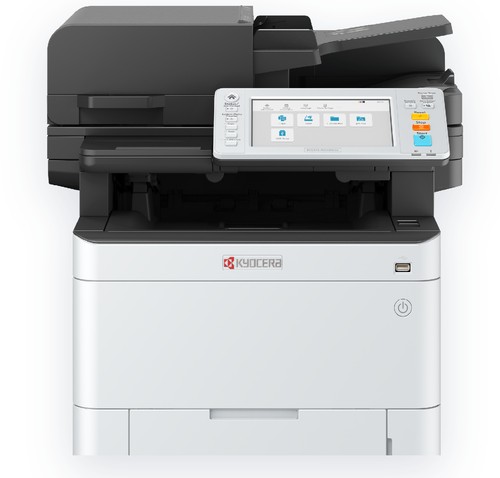
larger workgroups.
Six ECOSYS A4/A3 models, compared
The ECOSYS SMB range covers everything from a 21 ppm micro-office unit through to a 45 ppm
mono workhorse and full A3 colour — all built on the same long-life, low-running-cost ECOSYS
philosophy.
| Model | Type | A4 ppm | 1st print | Screen | Wi-Fi | Best for · ideal size |
|---|---|---|---|---|---|---|
| MA2101cwfx | A4 Colour | 21 | 11s | 2.7″ | Built-in | Home / micro office, entry A4 colour 1–5 users |
| MA2600cwfx | A4 Colour | 26 | 9.5s | 4.3″ | Built-in | Small office colour, Wi-Fi + fax 3–10 users |
| MA3500cix | A4 Colour | 35 | 5.7s | 7″ | Optional | Growing teams, 7″ screen & apps 10–20 users |
| MA4000cifx | A4 Colour ★ | 40 | 5.4s | 7″ | Optional | Busy SMB, fastest A4 colour 15–30 users |
| M8124cidn | A3 Colour | 24 | 7.5s | 4.3″ | Optional | When you need A3 colour 10–25 users |
| MA4500ifx | A4 Mono | 45 | 5.3s | 7″ | Optional | Text-heavy teams, lowest cost mono 15–30 users |
All ECOSYS models: print · copy · scan (fax
standard except M8124cidn = optional), 1,200 dpi, colour touchscreen, duplex as standard, mobile &
cloud print.
ECOSYS or TASKalfa? A quick way to decide
ECOSYS is the A4-first range: compact, lower-cost, and the lowest cost per page in the
Kyocera lineup (with one A3 option, the M8124cidn). TASKalfa is the A3 multifunction
range: bigger paper sizes, more features, and more finishing options, built for office workgroups. A
common Comstel setup for a growing business mixes both — ECOSYS units at individual desks for
everyday printing, with a single TASKalfa A3 MFP as the central office device for larger jobs, scanning
and finishing.
Backed directly by Kyocera — not just sold by Comstel
This is the part most printer resellers would rather you didn’t ask about: what actually happens when
something goes wrong. With Comstel-supplied Kyocera devices, the answer is straightforward, because the
responsibilities are split cleanly and the manufacturer stands directly behind every device.
-
Your supply partner
Consultation, product selection and supply of your Kyocera fleet, procurement and account management,
and connecting you to Kyocera’s service program from day one. -
Service & support
Installation and commissioning of every device, service delivery by factory-trained engineers, toner
and consumable supply, and technical support via a Sydney-based helpdesk on 13 59 62.
In practice, this means a Kyocera representative — not a subcontractor, not a call centre reading
a script — turns up when something needs fixing. Kyocera’s own reported service benchmarks back
this up: an average response time under 4 hours to a support call, 98%+ average
device uptime across the fleet, and field engineers factory-trained on Kyocera equipment based in
every major Australian capital city.
Kyocera Fleet Services: total fleet management, in the cloud
For businesses managing more than a handful of devices, Kyocera Fleet Services (KFS) is a free,
cloud-based device-management platform that runs quietly in the background — no installation
required, accessed through any browser.
- Monitors itself. Each device tracks its own performance and reports crucial
information back to Kyocera automatically. - Resolves remotely. Kyocera determines whether an issue can be fixed remotely or needs
an engineer on site — often before you’ve noticed a problem. - Replenishes automatically. Toner replenishment and meter-reading collection are
managed by Kyocera, not chased manually. - Stays current. Remote firmware upgrades keep every device up to date without an
on-site visit.
A customer portal gives you a live overview of your whole fleet — log a service call, order
consumables, or check the status of a registered call, all from one place.
Secure print release & enterprise integration
Every current TASKalfa MFP and most ECOSYS models support secure print release via PIN code or
ID card — a document only prints once the user authorises release at the device, preventing
confidential material like financial reports, patient records or contracts from sitting exposed in an
output tray. Comstel configures this as part of installation, along with integration with Microsoft 365
(scan-to-OneDrive, scan-to-Outlook) or Google Workspace (scan-to-Drive, scan-to-Gmail).
What “backed directly by Kyocera” actually changes for you
It’s worth spelling out why this split matters in practice, not just in principle. With many printer
resellers, the company that sold you the device and the company that eventually has to fix it are the
same business wearing two hats — which can mean service quality depends entirely on how that one
reseller happens to staff its support desk that week. With Comstel-supplied Kyocera devices, service
comes from the manufacturer itself: factory-trained engineers who work on Kyocera equipment exclusively,
using Kyocera’s own job-dispatch software (Evatic) to select the most suitable available engineer for the
fastest possible response, with real-time location tracking so your call doesn’t just disappear into a
queue.
The practical upshot is accountability that doesn’t rely on goodwill. If a device underperforms, the
manufacturer that built it is the one standing behind the fix — not a third party trying to source parts
or knowledge for a machine they didn’t build.
Who Kyocera suits best
- Professional services — law, accounting and consulting firms with high mono
volume, occasional colour, and frequent confidential documents. Secure print release fits the model
perfectly. - Healthcare & medical — practices and clinics with daily form printing and
occasional patient record scanning. - Education & training — schools and RTOs with high-volume course materials,
where long-life ECOSYS components cut consumables cost significantly. - Architecture & engineering — regular A3 plans and drawings alongside
everyday office print. - Multi-site enterprise — standardised fleets across locations, centrally
monitored via Kyocera Fleet Services. - Sustainability-focused organisations — ECOSYS technology was designed around
minimising waste, aligning naturally with environmental reporting targets.
Tell us your user count, typical monthly volumes, paper sizes and finishing needs, and we’ll recommend the right Kyocera model with a tailored quote.
Frequently asked questions
- What’s the difference between ECOSYS and TASKalfa?
- ECOSYS is the A4-first range (with one A3 option) — compact and the lowest cost per page. TASKalfa is
the A3 multifunction range with more features and finishing options. Many offices run both. - Who do I contact if a device needs service — Comstel or Kyocera?
- For supply, new devices or account questions, contact Comstel ICT on 1300 070 747. For service,
toner or technical support, contact Kyocera Document Solutions directly on 13 59 62 — Comstel will
connect you to this on day one. - Does Kyocera work with Microsoft 365 and Google Workspace?
- Yes — scan-to-OneDrive, scan-to-Outlook, secure print release via Azure AD, plus scan-to-Drive and
scan-to-Gmail for Google Workspace. Comstel configures this during install. - Can you service Kyocera devices we already own?
- In most cases, yes. Send us the make, model and serial number of your existing devices and we’ll
confirm whether we can connect you to Kyocera’s service program and supply chain. - How do I get a quote?
- Call 1300 070 747 or email sales@comstel.com.au with your user count, typical monthly volumes (mono vs
colour), paper sizes and finishing needs, and we’ll recommend a model with tailored pricing.
Talk to Comstel ICT
Fill in the form below and a Comstel specialist will be in touch the same business day — or call
1300 070 747.
Error: Contact form not found.
